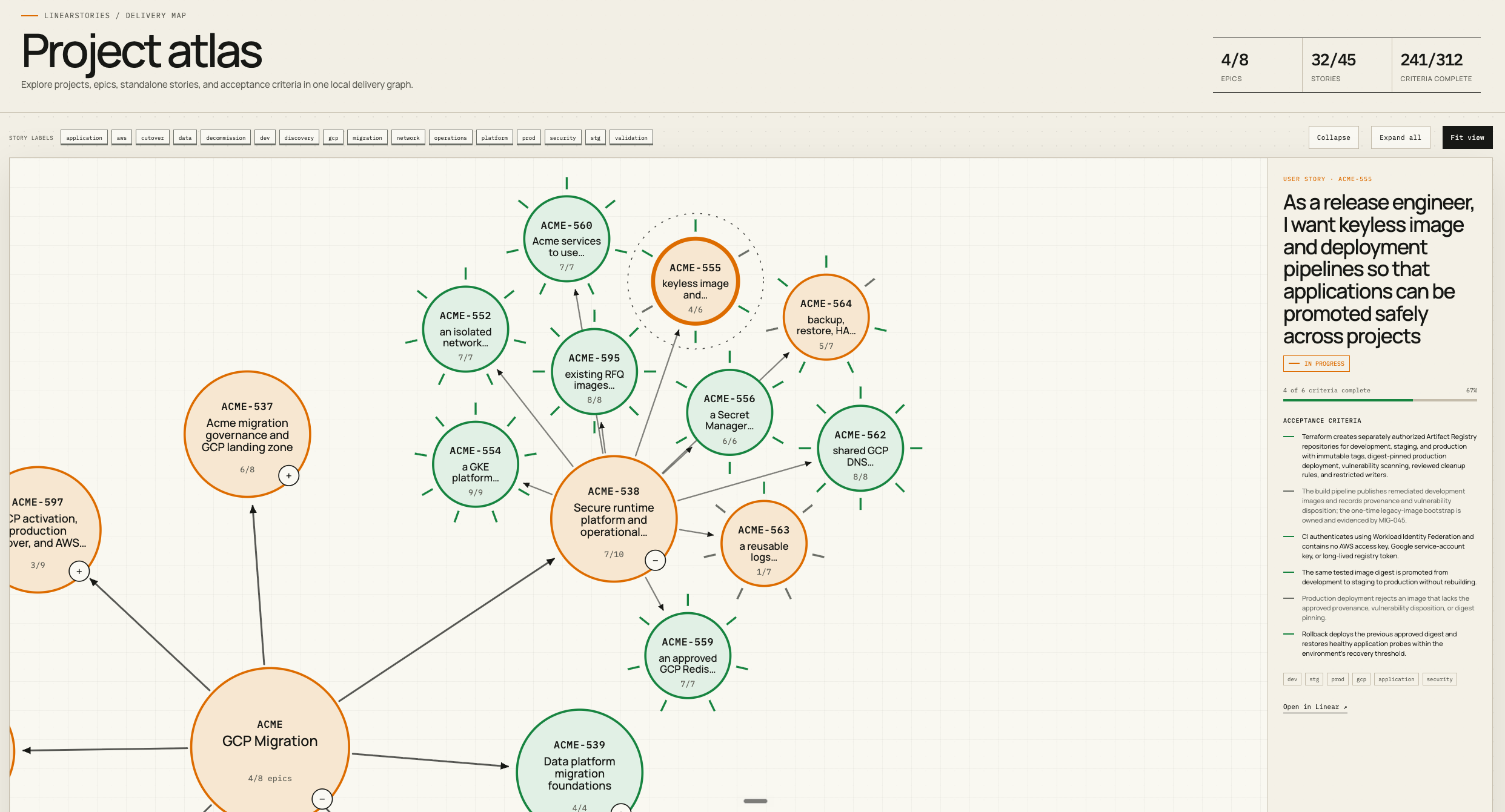
Built for AI agents and engineering teams

User stories with real acceptance criteria

Your AI agents are only as good as the instructions you give them. linearstories ensures every Linear task has clear, testable acceptance criteria — so agents know exactly what "done" looks like.

$ bunx linearstories import stories/*.md
Open source on GitHub MIT License Cross-platform binaries

AI agents fail when requirements are vague

Autonomous agents thrive on precision. When a task says "build the login page" with no acceptance criteria, agents guess — and they guess wrong. The result is wasted compute, broken deployments, and review cycles that defeat the purpose of automation.

  • Agents produce code that technically compiles but misses the intent
  • No definition of "done" means no reliable way to verify output
  • Vague Linear issues create ambiguity that compounds across sprints
  • Engineering managers lose visibility into what was actually built
Agent

What should I build for the login feature?

Linear issue

Build the login page. Make it nice.

Agent

I built something. I am not sure if it is correct. There were no acceptance criteria. Should I use OAuth? Email and password? SSO? I guessed email and password. Also I was not sure where to redirect after login so I redirected to /home. Let me know if this is wrong.


stories.md
## As a user, I want to log in
## so that I can access my account

### Acceptance Criteria

- [ ] User can enter email and password
- [ ] Invalid credentials show an error message
- [ ] Success redirects to /dashboard
- [ ] Session persists across browser tabs
- [ ] Rate limiting after 5 failed attempts

Structured user stories with testable acceptance criteria

linearstories brings the user story format to Linear. Write your stories in Markdown with explicit acceptance criteria, then import them directly into your board. Agents read the AC, build to spec, and know exactly when they are finished.

  • Every issue carries machine-readable acceptance criteria
  • Agents verify their own output against a clear checklist
  • Managers export Linear issues back to Markdown for documentation
  • Bi-directional sync keeps stories and tickets in lock-step

Three steps from story to shipped

Write structured Markdown, push it to Linear, and give your agents a precise target to build toward.

1

Write Markdown stories

Author user stories in a structured Markdown template. Each story includes metadata, a description, and a clear acceptance criteria checklist.

2

Import to Linear

Run linearstories import to push every story as a properly structured Linear issue, complete with labels, priority, estimates, and assignees.

3

Agents build with clarity

AI agents pick up tasks from Linear with full context: the user story, acceptance criteria, and definition of done. No guesswork. No wasted iterations.


Everything your workflow needs

From solo engineers to multi-team orgs, linearstories covers the full lifecycle of a user story.

Import to Linear

Push Markdown user stories directly into Linear as properly formatted issues. Labels, priority, estimates, and assignees are all set automatically from frontmatter.

Export from Linear

Pull any project or team's issues back into Markdown. Ideal for documentation, audits, and sharing context with stakeholders who do not live in Linear.

Bi-directional sync

Stories updated in Linear flow back to Markdown. Changes in your editor push back to Linear. Keep your source of truth wherever your team prefers.

Multi-org contexts

Define named contexts for each Linear organization in a single config file. Switch between them with --context orgA — each context carries its own API key, default team, and project.

Cross-platform binaries

Pre-built binaries for macOS (Apple Silicon and Intel), Linux, and Windows. Download and run, or install via bun install -g linearstories.

Acceptance criteria first

Every story template enforces a structured AC checklist. Your agents get a verifiable definition of done. Your reviewers get a clear audit trail of what was specified.


One file, everything Linear needs

A single Markdown file can contain multiple user stories. Frontmatter sets project-level defaults; each story overrides what it needs.

project Maps to a Linear project. Creates it if it does not exist.
team Target Linear team. Used to scope labels and workflows.
priority 0 = None, 1 = Urgent, 2 = High, 3 = Normal, 4 = Low.
labels Array of Linear label names to apply to the issue.
estimate Story points. Must match your team's estimation scale.
assignee Email address of the Linear workspace member.
status Maps to a Linear workflow state: Backlog, In Progress, Done, etc.
stories/q1-2026.md
---
project: "Q1 2026 Release"
team: "Engineering"
---

## As a user, I want to log in so that
## I can access my account

```yaml
linear_id:
linear_url:
priority: 2
labels: [Feature, Auth]
estimate: 3
assignee: jane@company.com
status: Backlog
```

User should be able to log in with their
email and password.

### Acceptance Criteria

- [ ] User can enter email and password
- [ ] Invalid credentials show a clear error
- [ ] Success redirects to the dashboard

Four commands to your first import

Get from zero to a fully populated Linear board in under five minutes. No configuration file needed for a basic setup — just your API key.

Linear API key Generate a personal API key at linear.app/settings/api. Set it as LINEAR_API_KEY in your environment or pass it with the --token flag.
Binary users Download the binary for your platform from github.com/stackingturtles/linearstories/releases and place it on your PATH. The commands are identical.
Dry run first Add the --dry-run flag to any import command to preview what would be created in Linear without making any changes.
bash
# 1. Install globally via Bun (or use bunx without installing) $ bun install -g linearstories + linearstories@0.1.0
# 2. Set your Linear API key $ export LINEAR_API_KEY=lin_api_xxxx
# 3. Create a stories file (or use your own) $ linearstories init stories.md Created stories.md with example template
# 4. Import into Linear $ linearstories import stories.md Parsing stories.md... Found 3 user stories Importing to project "Q1 2026 Release"... Done. 3 issues created in Linear.
# Export existing issues back to Markdown $ linearstories export --project "Q1 2026 Release" Exported 3 issues to q1-2026-release.md
# Multi-org: import using a named context $ linearstories import --context orgB stories.md Done. 3 issues created in Linear (orgB).